

Rush Printing Services Sacramento: 2026 How-To Guide

Table of Contents
What You'll Need Before You Order Rush Printing
Step 1: Choose Your Print Products and Materials
Business Cards, Flyers, and Brochures
Banners, Yard Signs, and Large Format Pieces
Step 2: File Preparation for Professional Printing
The Four Settings That Cause Most Rejections
A Non-Designer's File Setup Checklist
Proof Approval
Step 3: Lock In Same Day Business Card Printing
Step 4: Plan Custom Banner Printing Turnaround Time
Step 5: Pick Up Locally or Choose Delivery
Step 6: Get Design Help If You Are Not a Designer
Rush vs. Standard: What the Extra Speed Actually Costs
What Drives the Rush Upcharge
A Simple Decision Framework
Split the Order Instead of Rushing Everything
When Rush Is the Wrong Call
Frequently Asked Questions
Last Updated: September 18, 2026
What You'll Need Before You Order Rush Printing
Rush printing services Sacramento businesses rely on start with one thing: a finished, print-ready file. Without it, even the fastest press in the region sits idle while your deadline slips.
Before you place any expedited order, gather these essentials:
Final artwork in a print-ready format (PDF, AI, or high-resolution PNG)
Correct dimensions, including bleed
A chosen paper stock or material
Your quantity and deadline
A proof you've actually reviewed
Key Takeaway The single biggest cause of delayed rush orders isn't press capacity. It's incomplete or low-resolution files submitted at the last minute.
Step 1: Choose Your Print Products and Materials
The product you pick shapes your turnaround more than almost any other decision. Simple cardstock items run fastest; multi-page bound pieces take longer because of finishing.
Business Cards, Flyers, and Brochures
Business cards, flyers, and brochures are the workhorses of commercial printing. Standard cardstock cards and single-sheet flyers move through digital printing quickly, making them the easiest to turn around same day. Brochures add folding and sometimes binding, so build in extra time.
Banners, Yard Signs, and Large Format Pieces
Large format products like custom banners, yard signs, and posters use a different production line than small-format cards. They're printed on wide-format equipment, then often mounted, hemmed, or grommeted. That finishing is where the time goes.
For event signage, plan around these variables:
Material choice (vinyl, corrugated plastic, or fabric)
Mounting and hardware needs
Size, since bigger pieces take longer to print and cure
Step 2: File Preparation for Professional Printing
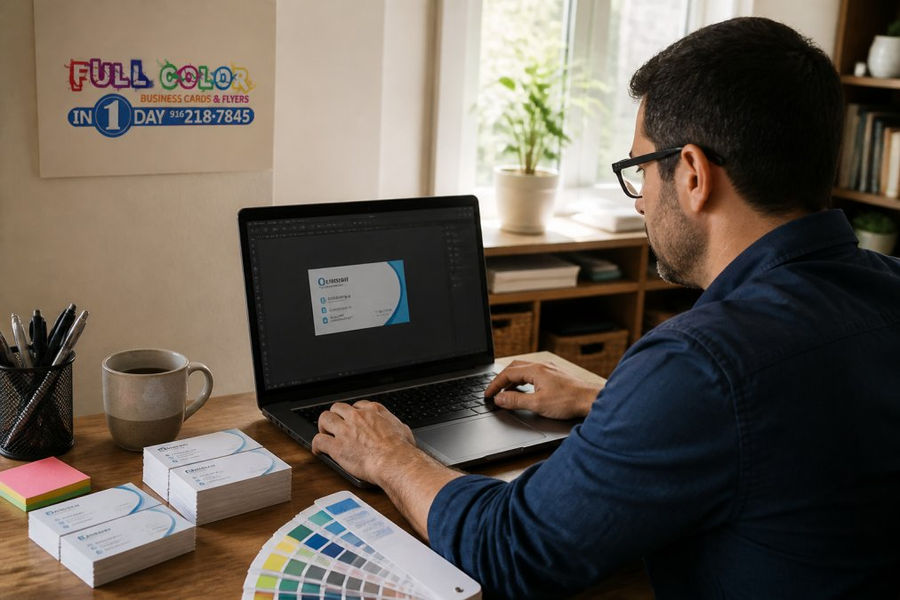
File preparation for professional printing is where most rush orders succeed or fail. A clean file sails through preflight; a messy one bounces back for fixes and costs you the day you were trying to save. Most print shops assume you know how to build a print-ready file. This section walks through the setup step by step so a non-designer can clear preflight on the first pass.
The Four Settings That Cause Most Rejections
Almost every rejected file fails on one of four things: bleed, resolution, color mode, or fonts. Get these right and the file moves to press; get one wrong and production stops until you resubmit.
A Non-Designer's File Setup Checklist
If you are building a file in Canva, Adobe Express, or a similar tool, work through this list before you export:
Set the document to your final trim size, then add 0.125 in of bleed on all sides.
Keep all text and logos at least 0.125 in inside the trim line so nothing gets clipped.
Place images at 300 DPI at the size they will print.
Convert the color mode to CMYK.
Export as a PDF with crop marks and bleed included.
Open the PDF and zoom in to confirm nothing shifted.
Proof Approval
Proof approval is your last checkpoint. Review the digital proof for spelling, layout, and color before you give the green light, once approved, the file goes to press. Catching an error here takes minutes; catching it after printing means a full reprint. Read the proof at 100%, check every phone number and address character by character, and confirm critical brand colors against a physical swatch.
Watch Out Approving a proof without checking it closely is the most expensive shortcut in rush printing. A typo caught after production means paying for the job twice, and you still miss your deadline.
Key Takeaway Print-ready means four things: correct bleed, 300 DPI images, CMYK color, and embedded or outlined fonts. If your file has all four, it clears preflight and the clock starts on production instead of on a fix. Step 3: Lock In Same Day Business Card Printing Same day business card printing works when your file is ready before the production cutoff. Submit a print-ready card file early, and it can move through digital printing and finishing in a single day. Confirm your cardstock weight and finish Submit a print-ready file with bleed and crop marks Approve the digital proof fast Confirm pickup or delivery Step 4: Plan Custom Banner Printing Turnaround Time Custom banner printing turnaround time depends on size, material, and finishing, not just press speed. A simple vinyl banner prints quickly; one needing hemming, grommets, and mounting takes longer. Build your banner timeline around these steps: File prep and proof approval Printing on wide-format equipment Finishing (hemming, grommets, or mounting) Curing time before it can be handled Step 5: Pick Up Locally or Choose Delivery Local pickup is usually the fastest way to get an urgent order in hand, you skip the shipping leg entirely and control the timing. Option Speed Best For Watch Out For Local pickup Fastest Same-day deadlines Requires a trip Local delivery Fast Busy schedules Depends on route timing Expedited shipping Varies Remote locations Adds cost, less control Step 6: Get Design Help If You Are Not a Designer Graphic design assistance closes the gap for anyone without design training. If you don't have a print-ready file, semi-custom design services turn your content into something production-ready. Rush vs. Standard: What the Extra Speed Actually Costs Rush printing costs more than standard turnaround because it jumps the queue and consumes already-tight capacity. The question isn't whether it costs more, it's whether the extra speed is worth it for your deadline. Here's how to decide. What Drives the Rush Upcharge The upcharge is not arbitrary. It reflects real costs the shop absorbs to move your job ahead of others: Queue displacement. Your job pushes a scheduled job back, so the shop has to resequence production. Overtime and shift coverage. Rush work often runs after hours or on a weekend, when labor costs more. Setup and spoilage. Short, fast runs leave less room to absorb a bad sheet, so waste goes up. Shipping upgrades. If the job ships, expedited freight adds cost that standard ground does not. Finishing bottlenecks. Binding, folding, and mounting are often the slowest steps, and rushing them is harder than rushing the press. A Simple Decision Framework Work through these questions in order: Is the deadline immovable? An event, a launch, a board meeting, or a trade show has a fixed date. If the date cannot move, rush pays for itself because a missed deadline costs more than the upcharge. Is the deadline soft? If the date can slide a few days, standard turnaround saves money with no real downside. Is the whole order urgent, or only part of it? This is the most common mistake. Rushing an entire order when only a portion needs to be ready early wastes money. What is the cost of missing the deadline? Compare the upcharge against the value of the event, the lost sale, or the rescheduled meeting. If the upcharge is a fraction of that value, rush is the rational choice. Split the Order Instead of Rushing Everything Full Color Business Cards and Flyers in 1 Day offers flexible marketing packages that can be substituted and divided. Rushing a smaller batch for an event while the bulk runs on a standard schedule can often cost less than expediting the full order, and the bulk still arrives well before it's needed. When Rush Is the Wrong Call Rush is the wrong choice when the deadline is soft, the file isn't print-ready, or the order depends on a finishing step that can't be compressed. Paying for speed on a file that still needs a fix is paying for nothing, the clock doesn't start until the file clears preflight. Fix the file first, then decide on turnaround. Ask whether your order can be split. Rushing a small batch for the event while the bulk runs standard often costs less than expediting everything.
The rush upcharge buys queue priority, not just speed. It is worth paying when the deadline is fixed and the cost of missing it is high. When the deadline is soft, or when only part of the order is urgent, standard turnaround or a split order usually wins.
Frequently Asked Questions
What file formats are best for rush printing?
Send a print-ready PDF exported from your design software, with fonts embedded and images at 300 DPI. PDF/X-1a is the safest choice because it locks in the CMYK color profile and prevents shifts. If you do not have design software, a high-resolution PNG or TIFF works for simple pieces like flyers, but PDF remains the standard for commercial printing. Avoid sending Word documents, screenshots, or web images pulled from a website, since those files rarely meet resolution requirements and often need rework before production.
Can I get custom banners printed in one day?
Yes, one-day banner production is realistic when your file is print-ready and approved early in the day. Custom banner printing turnaround time depends on three things: when you submit, whether the file passes a preflight check on the first try, and whether you approve the proof quickly. Large format pieces need extra time for finishing, so a banner ordered at 9 AM is far more likely to be ready same day than one submitted at 4 PM. Confirm your deadline when you order.
How much does same-day business card printing cost?
Pricing depends on quantity, cardstock weight, finishing like lamination, and how fast you need it. Rush orders usually carry a premium over standard turnaround because production is scheduled around your deadline. Pricing is available on our website, which lists rates by quantity and turnaround. If your budget is tight, ask whether splitting the order helps: run a smaller batch for the event now and the rest on standard turnaround later.
What information do I need to provide for a rush print order?
Have four things ready: your print-ready file, the exact quantity, the finished size, and your deadline with a pickup or delivery time. Add any finishing details, such as lamination, booklet binding, or poster mounting. If you need design assistance, say so up front so the file can be built correctly the first time. Include a phone number and email you actually check, because a slow proof approval is the most common reason an urgent order misses its window.
Deadlines don't move, but your print timeline can. Full Color Business Cards and Flyers in 1 Day builds same-day and next-day printing around exactly this problem, with print-ready file checks, semi-custom design help if you're not a designer, and local pickup or delivery to keep urgent orders on schedule. The team answers emails within 30 minutes, so a stuck file doesn't sit overnight. Submit your order online and get your materials in hand before the event, not after.
See Pricing Today


Comments