

FedEx Office vs SameDayRushPrinting: Which Wins?

Table of Contents
FedEx Office vs SameDayRushPrinting: Quick Comparison Table
Pricing and Cost Per Page: Where Your Money Goes
The three numbers that actually drive your quote
Cost per page, by job type
When bulk actually beats single-page, and when it does not
The unique angle: a bulk-vs-single decision framework
Turnaround Time and Rush Printing Capabilities
Flyer Printing Near Me: Local Fulfillment vs National Chains
How to Prepare Files for Same Day Printing
File format compatibility: what each press actually accepts
Bleed and margin mechanics, the numbers that matter
Color mode: CMYK, RGB, and why it matters
Resolution and fonts
The pre-upload checklist
Same Day Business Card Printing: Quality and Finishing Options
Customer Support and Account Management
Conclusion
Frequently Asked Questions
Last Updated: September 30, 2026
FedEx Office vs SameDayRushPrinting: Quick Comparison Table
Choosing between a national chain and a dedicated rush print shop, the FedEx Office vs SameDayRushPrinting decision, comes down to three things: turnaround time, cost per page, and how quickly someone answers when your order goes sideways.
Factor | National Chain (FedEx Office) | Rush Print Specialist (SameDayRushPrinting) |
In-store pickup | Yes, many locations | Varies by provider |
Same-day printing | Limited, depends on location | Core service |
Available at some stores | Standard offering | |
Bulk printing discounts | Rare | Common |
Self-service kiosk | Yes | Usually no |
Account management | Basic | Dedicated support |
Large format printing | Select locations | Often specialized |
Key Takeaway Match the provider to the job, not the brand. High-volume, deadline-driven work favors specialists. One-off, walk-in errands favor national chains.
Pricing and Cost Per Page: Where Your Money Goes
Pricing is where the two providers diverge hardest. National chains price like retail: a per-project or per-page rate with markup for the storefront, staff, and walk-in convenience. Rush print specialists price like a production shop: a base setup charge plus a per-unit rate that drops with quantity.
The three numbers that actually drive your quote
Every print quote is built from the same three inputs. Ask for them separately:
Setup / file prep fee. One-time charge to impose the file, run a proof, and queue the job. Retail counters often fold this into the per-page rate; specialists itemize it.
Per-unit rate. The cost of each printed piece, which falls with volume on a tiered schedule, a lower rate at 500, 1,000, and 2,500 pieces.
Finishing and delivery. Cutting, folding, binding, laminating, and shipping are almost always separate. A quote that looks 20% cheaper often loses that edge once these are added.
Cost per page, by job type
Cost per page changes with paper stock, color vs. black and white, and finishing. The table below shows the pattern to expect, not a fixed price.
Job Type | Typical Pricing Model | What Moves the Price Most |
Business cards | Per box (often 100-500) | Paper stock and finish (matte, gloss, spot UV) |
Flyers | Per unit, tiered by quantity | Size (8.5x11 vs. 11x17) and color vs. B&W |
Brochures | Per unit + folding/binding | Page count and binding type (saddle-stitch vs. perfect) |
Banners | Per square foot | Material (vinyl vs. mesh) and grommet/hem finishing |
Bulk booklets | Per unit, heavily tiered | Total quantity and collating/stapling |
When bulk actually beats single-page, and when it does not
Bulk pricing only saves money if you will genuinely use the volume. Ordering 1,000 business cards makes sense if you hand out 20 a week; ordering 1,000 when you need 100 means paying for 900 cards that go stale when your phone number changes.
A simple break-even check:
Divide the total bulk price by the pieces you will realistically use in 12 months.
Compare that to the single-order price for the quantity you need now.
If the bulk per-unit number is lower and you will use the volume, bulk wins. If not, order small and reorder later.
Watch Out Comparing only the headline price is a mistake. A lower base rate often excludes file setup, proofing, or delivery. Always confirm what the quote includes, and what it does not, before you approve it.
Pro Tip Request quotes at two or three quantity tiers (for example, 250 / 500 / 1,000) before you commit. The per-unit drop between tiers tells you exactly where the specialist's pricing advantage kicks in.
The unique angle: a bulk-vs-single decision framework
Most comparison content stops at "bulk is cheaper." The useful question is at what point a specialist becomes cheaper than a retail counter. If you reorder monthly, a specialist account with stored files and a standing per-unit rate beats re-quoting each time. If you print once a year, the retail counter's no-minimum, no-shipping model often wins.
Turnaround Time and Rush Printing Capabilities
Turnaround time is where the two options diverge most. National chains can handle same-day printing at some locations, but availability depends on staffing, queue, and whether the job fits their standard templates.
Job Type | Typical Turnaround | Best Submitted |
Business cards | Same day to next day | Morning |
Flyers | Same day to next day | Before noon |
Banners | 1-2 days | Early morning |
Bulk brochures | 2-3 days | 48 hours ahead |
Flyer Printing Near Me: Local Fulfillment vs National Chains
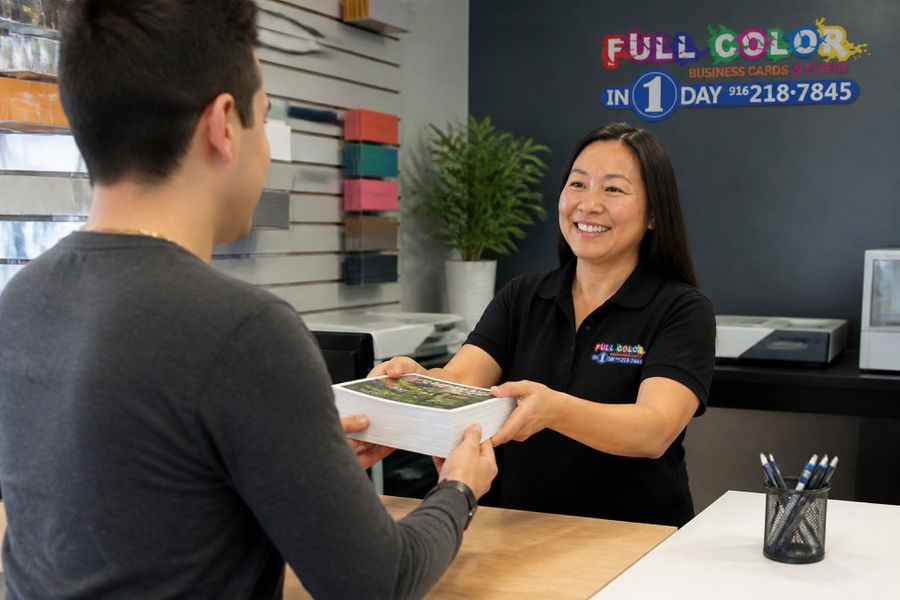
Searching for flyer printing near me returns a mix of national chains and independent local shops. The difference shows at pickup: local fulfillment means your order is produced and handed over in the same metro area, often by the person who took your call.
Pro Tip Call ahead before a rush job. A two-minute conversation about file format, quantity, and deadline prevents most same-day printing failures.
How to Prepare Files for Same Day Printing
File preparation is the biggest factor in whether a same-day job ships on time. Most delays are file problems caught at proofing, after the press is queued. Getting the file right before you upload is the difference between a morning pickup and a next-day apology.
File format compatibility: what each press actually accepts
The format you submit determines how much manual adjustment the shop must do before printing, and that adjustment time is what pushes a job past its deadline.
Format | Best For | Watch Out For |
PDF/X-1a or PDF/X-4 | Print-ready jobs, any press | Must have fonts embedded and colors in CMYK |
High-res PDF (non-X) | Simple documents | Transparency may not flatten correctly |
AI (Adobe Illustrator) | Vector logos, single-page art | Linked images can break; outline your fonts |
PSD (Photoshop) | Raster-heavy designs, photos | Flatten layers; keep resolution at 300 DPI at final size |
EPS | Legacy vector art | Older format; some shops no longer accept it |
DOCX / PPTX | Internal drafts only | Never send to a press without conversion |
Bleed and margin mechanics, the numbers that matter
Bleed is the extra image extending past the trim line so no white sliver appears when the piece is cut. Margin (safe area) keeps text and logos from being clipped.
Bleed: Add 0.125 inch (1/8 inch) on all four sides, the standard for most U.S. commercial print. Some large-format and booklet jobs call for 0.25 inch, confirm with the provider.
Safe margin: Keep all text and critical logos at least 0.125 inch inside the trim line. For business cards, 0.25 inch is safer because cards get handled and trimmed aggressively.
Trim line: The final cut size. Build your document at trim size plus bleed on every side.
Color mode: CMYK, RGB, and why it matters
Digital presses print in CMYK (cyan, magenta, yellow, black); monitors display in RGB (red, green, blue). Submitting an RGB file forces the shop to convert it, and that conversion is where washed-out color comes from.
Convert to CMYK before export. Do it in your design tool, not at the press.
Use a standard profile. For U.S. commercial print, U.S. Web Coated (SWOP) v2 is the common reference. Ask the provider which profile they prefer.
Expect some shift. Bright RGB greens and oranges are outside the CMYK gamut and will look duller in print. This is physics, not a press defect.
Black text: Use 100% K only for small text. Rich black (a mix of CMYK) is for large solid areas, not body copy.
Resolution and fonts
300 DPI at final size is the print standard for raster images. A 72 DPI web image scaled up will look pixelated on paper.
Embed all fonts or convert text to outlines. A missing font substitutes automatically and can reflow your entire layout.
Flatten transparency if you are not using PDF/X-4. Unflattened transparency can render as white boxes or color shifts.
The pre-upload checklist
Export as PDF/X-4 (or PDF/X-1a) with fonts embedded
Set resolution to 300 DPI at final size
Convert colors to CMYK using the provider's preferred profile
Add 0.125-inch bleed on all sides
Keep text and logos inside the 0.125-inch safe margin
Flatten transparency if not using PDF/X-4
Name the file clearly with size, quantity, and version
Pro Tip If you are not a designer, semi-custom design services can handle layout, bleed, and color setup for you. Start that conversation early, a design request submitted at 10 PM is unlikely to be printed by morning unless the provider explicitly offers overnight turnaround.
Watch Out Do not send native DOCX or PPTX files to a press. They almost always require manual conversion, which adds hours to a same-day job and introduces layout errors.
Same Day Business Card Printing: Quality and Finishing Options
Print quality on same-day business card printing depends on the press, paper stock, and finishing. Digital presses handle short runs well and produce sharp, rich color when files are set up correctly.
Finishing options make or break the final result:
Laminating for durability and a matte or gloss finish
Spot UV for raised, reflective accents
Foil stamping for a premium look on premium stock
Collating and stapling for multi-page collateral
Binding services for brochures and booklets
Best For Startups and small businesses that need professional-quality cards fast, without a design degree or a big minimum order.
Customer Support and Account Management
Customer support is the tiebreaker when deadlines are tight. National chains route inquiries through store staff or a central line, which can mean waiting. Rush print specialists typically assign a direct contact, so a 10 PM question gets an answer before morning.
Conclusion
The right choice depends on your deadline, volume, and how much you value direct support. National chains work for walk-in convenience and simple jobs. For rush printing, bulk orders, and a real person on the line, a specialist shop fits better.
Frequently Asked Questions
Do FedEx Office and SameDayRushPrinting offer true same-day printing for all custom materials?
FedEx Office provides same-day printing for many standard items like documents and simple flyers, but custom orders, large-format prints, and bulk business cards often require more time. SameDayRushPrinting specializes in rush jobs, offering same-day and next-day service for business cards, flyers, banners, and yard signs, with a focus on meeting tight deadlines. Availability depends on the specific product and when you submit your files.
How do I prepare files for same day printing to avoid delays?
For same day printing, submit print-ready PDFs with all fonts embedded and images at 300 DPI. Use CMYK color mode and include a 0.125-inch bleed on all sides. Double-check that your file size is manageable and that you have selected the correct paper stock and finishing options. Both FedEx Office and SameDayRushPrinting accept digital file submission, but local shops like SameDayRushPrinting often provide faster file review and feedback to prevent errors.
Is SameDayRushPrinting more cost-effective for bulk business card printing?
For bulk orders, local print shops like SameDayRushPrinting often offer competitive pricing because they specialize in high-volume, fast-turnaround work. FedEx Office may charge more per page for large runs due to their retail overhead. However, exact costs depend on quantity, paper stock, and finishing. Request quotes from both providers for your specific project to compare accurately.
What are the key differences between FedEx Office and SameDayRushPrinting for urgent flyer printing near me?
FedEx Office has many locations and offers in-store pickup, but their same-day capabilities may be limited for custom flyers. SameDayRushPrinting focuses on rush orders with a 30-minute email response time and local pickup or delivery in the Sacramento and San Jose areas. They also provide semi-custom design help if you need it. For urgent flyer printing near you, a dedicated local shop often delivers faster and with more personalized support.
See Pricing Today


Comments