

Urgent Print Order Communication Tips for Fast Turnaround

Table of Contents
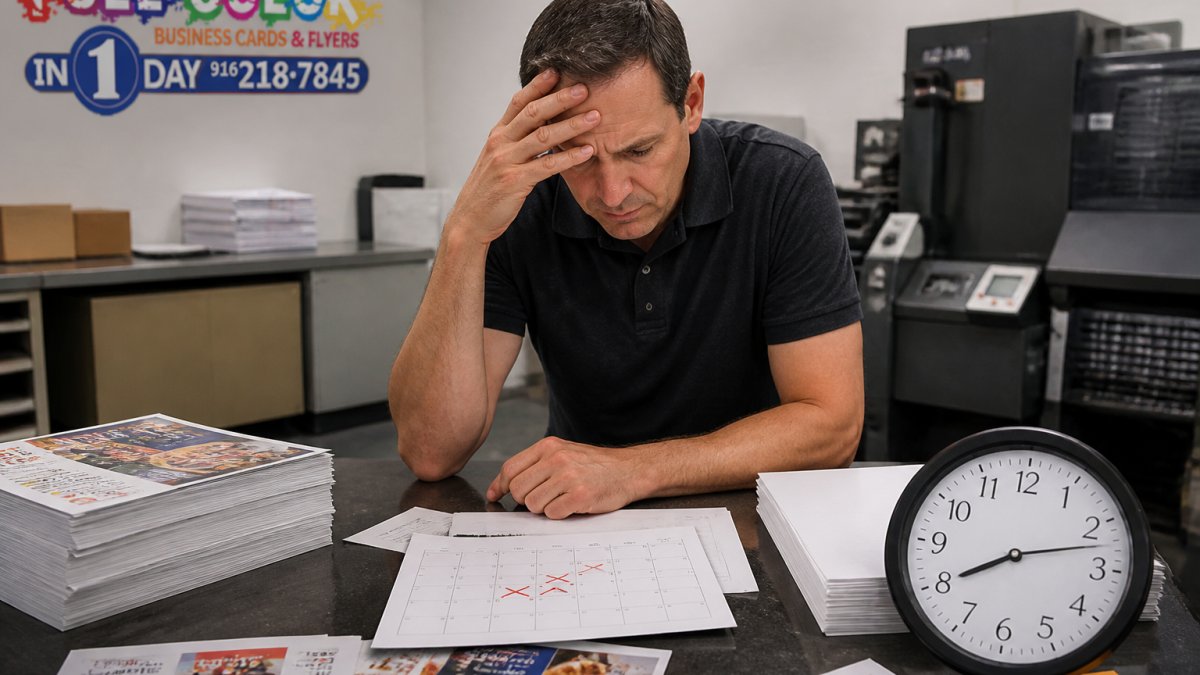
Why Clear Communication Makes or Breaks an Urgent Print Order
What Printers Actually Need From You on the First Message
The Print Order Email Template That Gets Same-Day Responses
Subject Line Formulas That Signal Real Urgency
What to Include in the Body (and What to Leave Out)
Your Urgent Printing Checklist Before You Hit Send
Prioritizing Essential Specifications When Time Is Tight
The Two-Question Triage
What to Leave Off the First Message
Print-Ready File Requirements: What to Confirm Before Submitting
How Printing Turnaround Time Works for Rush Jobs
The Stage-by-Stage Communication Timeline
Rush Fees, Feasibility, and Delivery Trade-Offs
Contingency Planning When the Deadline Cannot Be Met
Escalation and Update Practices
Proof Approval, Revisions, and What to Do When a Deadline Slips
Frequently Asked Questions
Last Updated: October 15, 2026
Why Clear Communication Makes or Breaks an Urgent Print Order
An urgent print order lives or dies on the first message you send.

Clear communication is the practice of giving a printer every detail they need to start production without a follow-up question. It removes back-and-forth, protects your deadline, and prevents costly reprints.
Most customers think speed is about the printer. It is not. Speed is about how fast the printer can understand your job.
What Printers Actually Need From You on the First Message
Give us these five things in one message and your job can start within minutes:
What you want printed (business cards, flyers, banners, or signs)
The exact quantity
Your deadline and pickup or delivery preference
Your artwork status (ready file or design help needed)
A phone number for quick questions
Miss one and the clock stops until we hear back.
Pro Tip Put your deadline in the subject line and the first sentence. Printers triage by deadline, so a job marked "needed by 8 a.m. tomorrow" gets read before one that buries the date in paragraph three.
The Print Order Email Template That Gets Same-Day Responses
A print order email template is a saved message you fill in with job details before sending. It cuts writing time and gives the printer everything at once. Use this one:
Subject: URGENT print order - [quantity] [product] - needed [date/time] Hi [printer name], I need an urgent print order and I am hoping you can hit this deadline. Product: [e.g., 500 full-color flyers, 8.5 x 11 in] Quantity: [number] Deadline: [date and time, plus pickup or delivery] Artwork: [attached print-ready PDF / need design help] Paper and finishing: [if you know it, otherwise "your recommendation"] Contact: [name, phone, email] Please confirm turnaround time and total cost. I can approve a proof fast. Thanks, [Your name]
Subject Line Formulas That Signal Real Urgency
Your subject line does two jobs: it says "rush" and it says when. Try:
"URGENT - 1,000 business cards needed Friday 9 a.m."
"Rush order - 250 yard signs, event Saturday"
"Same-day request - banner for tomorrow's opening"
Keep it under 12 words. Put the deadline first if the date is the hard part.
What to Include in the Body (and What to Leave Out)
Include the five essentials above, plus any brand color or paper preference. Leave out backstory, jokes, and paragraphs about why the event matters. Printers need the specs, not the story.
One line of context helps: "This is for a trade show booth" tells us the print should look sharp up close. Three paragraphs about your company history do not.
Your Urgent Printing Checklist Before You Hit Send
Run this urgent printing checklist before every rush request. It takes 60 seconds and saves hours.
Product type and exact size listed
Quantity confirmed
Deadline includes a time, not just a day
Pickup or delivery chosen
Artwork file attached or design help requested
Phone number included for quick questions
Proof approval contact named
Watch Out Sending "I need some flyers soon, can you help?" starts a three-message chain that can eat half a day. Name the product, quantity, and deadline in message one or you lose your window.
Prioritizing Essential Specifications When Time Is Tight
Most rush-order delays come from treating every specification as equally important. They are not.
Tier 1, Production blockers (must be in message one):
Product type (flyer, business card, banner, sign)
Finished size
Quantity
Deadline with a clock time
Pickup or delivery
Without all five, the printer cannot quote, schedule, or start.
Tier 2, Affects price and speed (send if known, otherwise ask for a recommendation):
Paper stock and weight
Coating or lamination
Single-sided vs. double-sided
Folding or binding
These change cost and press time, but a printer can substitute a fast-running equivalent and note it on the quote.
Tier 3, Nice to have (defer until after the quote):
Exact Pantone match
Custom die-cut shapes
Specialty finishes like foil or spot UV
Sequential numbering or variable data
Tier 3 items quietly kill rush jobs.
The Two-Question Triage
When you genuinely do not know what to prioritize, ask the printer two questions in the same message:
"What do you need from me right now to hold a slot on today's schedule?"
"What can I decide later without pushing the deadline?"
That pair tells the printer you are serious about the deadline and hands them the job of sequencing your decisions. Printers triage rush work all day; they know which choices are reversible.
What to Leave Off the First Message
Long backstory, brand guidelines, and multi-page style guides slow the first reply. Attach them only if the printer asks. One line of context, "this is for a trade show booth, so it needs to look sharp up close", is useful; three paragraphs of company history are not.
If you must match a brand color, give the CMYK or Pantone value in the first message, not a screenshot. Screenshots force the printer to guess, and guessing on a rush job causes reprints.
Print-Ready File Requirements: What to Confirm Before Submitting
Print-ready file requirements are the technical rules your artwork must meet before it can go on press. Fail one and production stops for a fix. Confirm each before you submit:
File type: print-ready PDF is safest
Resolution: 300 dpi at full size
Color mode: CMYK, not RGB
Bleed: 0.125 in on every side
Fonts: embedded or converted to outlines
Margins: keep text 0.125 in inside the trim line
Adobe's guide to preparing print-ready PDFs explains why CMYK and bleed matter. RGB files look bright on screen but shift dull on paper, and files without bleed leave white edges after trimming.
If you cannot meet these specs, ask for design help. Semi-custom design services can fix a file fast, and it beats a reprint.
How Printing Turnaround Time Works for Rush Jobs
Printing turnaround time is the clock from approved proof to finished product. It does not start when you send the email, it starts when the proof is approved and the file is correct. That is why a clean file and a fast "yes" on the proof matter most.
A realistic rush timeline looks like this:
Stage | Typical Time | What Slows It Down |
Send request | 5 minutes | Missing specs |
Quote and confirm | 30-60 minutes | Waiting on your reply |
File check | 15-30 minutes | Low-res or RGB files |
Proof approval | 15-60 minutes | Slow sign-off |
Print and finish | 1-4 hours | Complex finishing |
Pickup or delivery | Varies | Distance and timing |
Notice the pattern. Most delays are on the customer side, not the press.
The Stage-by-Stage Communication Timeline
What you communicate changes at each stage, and sending the wrong message at the wrong stage causes missed deadlines.
Stage 1, Inquiry. Send the five Tier 1 specs plus your artwork status.
Stage 2, Quote and confirmation. When the quote arrives, reply "Approved, proceed" if it works.
Stage 3, File check. The printer confirms the file passes resolution, color mode, bleed, and font checks.
Stage 4, Proof approval. This is the highest-leverage moment in the process.
Rush Fees, Feasibility, and Delivery Trade-Offs
Rush jobs cost more because they jump the queue and may require overtime labor. Pricing depends on quantity, product, and speed, so request a quote rather than assuming a flat percentage.
Feasibility is the honest question.
Delivery is the last trade-off. Local pickup is fastest because it removes the shipping leg. Delivery adds travel time, and same-day courier delivery in most metros adds cost on top of the rush fee.
Contingency Planning When the Deadline Cannot Be Met
Sometimes the honest answer is no. Do not push harder, change the job so it fits the window. Ask the printer which of these is possible:
Partial run now, balance later. Print the quantity you need for the event today and the rest next week at standard pricing.
Simpler finishing. Drop lamination, folding, or die-cutting to remove a production pass.
Substitute stock. A house sheet that is already loaded on press runs faster than a special-order paper.
Smaller size. A piece that fits on a standard sheet size avoids custom cutting.
Digital instead of offset. Short runs under a few hundred pieces often run faster digitally.
Pickup instead of delivery. Removes the shipping leg and the courier scheduling window.
Staged delivery. If you have a multi-day event, ship the first batch to the venue and the rest to your office.
Ask for the trade-offs in writing so you can decide quickly. A printer who offers three concrete alternatives beats one who simply says the deadline is impossible.
Escalation and Update Practices
If a deadline is at risk after production starts, ask for a specific new completion time, not a status. "Can you confirm a 2 p.m. pickup instead of noon?" gives you something to plan around; "Any update?" does not.
Agree on one channel for updates, phone or email, not both, and one point of contact per side. Split communication is how details get lost on a rush job.
Key Takeaway The fastest rush jobs share one trait: the customer sends complete specs, approves the proof within minutes, chooses pickup over delivery, and asks for alternatives in writing the moment the deadline looks tight.
Proof Approval, Revisions, and What to Do When a Deadline Slips
Proof approval is your final checkpoint. Check spelling, phone numbers, colors, and quantity carefully.
If you catch an error, reply in one message with every change. Scattered revisions slow the job.
When a deadline slips, act fast. Options include:
Switch to a smaller quantity that can print now
Accept a simpler finish to save time
Choose pickup instead of delivery
Move part of the order to a later batch
Our 30-minute email response time means answers fast, not silence, which matters most when a deadline is on the line.
U.S. Small Business Administration guidance on vendor communication notes that clear, written vendor agreements reduce disputes.
Frequently Asked Questions
What information should I include when requesting an urgent print order?
Include the product type (business cards, flyers, banners), exact quantity, paper stock or material preference, finishing options, your deadline date and time, and whether you need pickup or delivery. Attach your print-ready artwork file or note that you need design help. Add a direct phone number so the printer can reach you with questions instead of waiting on email. The more complete your first message, the fewer back-and-forth rounds before production starts.
How do I ask a printer for same-day printing without sounding unrealistic?
Lead with your deadline and ask directly whether it is feasible, rather than assuming. Mention the quantity and product so the printer can judge production schedule capacity. If you can be flexible on paper stock or finishing, say so, since those choices often decide whether an urgent print order fits the day's queue. A printer who cannot meet your time can often suggest a close alternative or a partial run, so ask what is possible instead of only yes or no.
What should I do if my urgent print order is delayed?
Contact the printer immediately by phone, not email, and ask for a revised completion time. Confirm whether the delay affects the full order or just part of it, since a partial pickup may still cover your event. Ask about upgraded shipping or a local pickup option if delivery is the bottleneck. Get the new time in writing through an order confirmation update, then notify anyone downstream who depends on receiving the printed materials.
How often should I follow up on a rush printing job?
Send one confirmation message after you submit the order, then check in at the midpoint of your printing turnaround time if you have not received a proof or status update. After that, follow up once daily rather than hourly, since repeated messages slow the production team down. If your deadline is within 24 hours, a single phone call is faster and more reliable than a string of emails. Always ask for a specific next-update time before ending the conversation.
A missed deadline can cost you an event, a client, or a launch. The fix is not luck. It is a clear message, a complete checklist, and a fast proof approval. Full Color Business Cards and Flyers in 1 Day makes that easy with same-day and next-day printing, semi-custom design help, and a 30-minute email response time, all backed by a 5-star rating for 11 years. Submit your order online and get print-ready materials without the wait.
See Pricing Today
Comments